Supplying wireless calling systems in South Africa since 2012

BellMe

Voerka software · record, manage & export calls

W900 Desktop Software

Voerka W900 works with the B-811 Smart Gateway to record, manage and export nurse call information — an optional addition for any of our display panels.
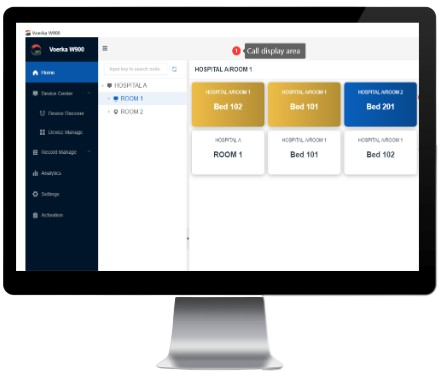
Voerka W900 software home interface showing hospital rooms and beds on the call display area

Overview

The W900 Desktop Software allows the system to record, manage and export nurse call information.

Works with the B-811 Smart Gateway

The W900 Desktop Software is used with the B-811 Smart Gateway. Together, they can be used in conjunction with any of our display panels as an optional addition.

Internet connection

The PC or laptop running the software needs to be connected to the internet via a LAN cable.

Programming

Call Button programming is performed through the Desktop Software.

Export to Excel

Recorded calling information can be exported to an Excel spreadsheet for record keeping and reporting.

Software capacities

The software is available in the following capacities, depending on the number of nurse call buttons you require:

50buttons
200buttons
500buttons
1,000buttons
3,000buttons

Inside the software

A look at the W900 interface: layout building, device management, call cancelling, records and statistics. Click any image to view it full-size.

Voerka W900 software home interface showing hospital rooms and beds on the call display area

Software interface — build your layout

Create rooms and beds, then see calling information appear on the call display area.
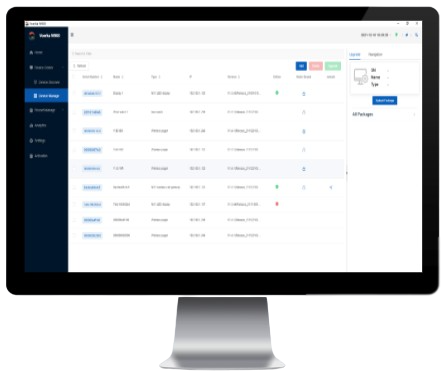
Voerka W900 software device management screen listing the display panel, gateway and call buttons

Device management

Discover, authorize and manage the display panel, gateway and call buttons in one place.
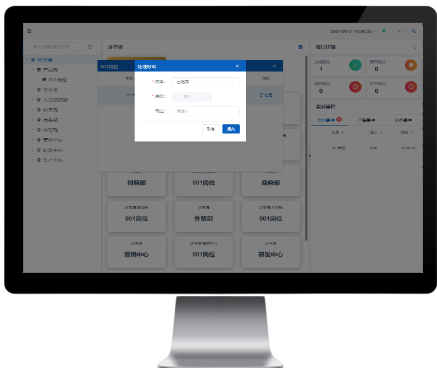
Voerka W900 software screen for cancelling a call from the mapped areas

Cancelling a call

Cancel outstanding calls directly from the software when a call button has been pressed.
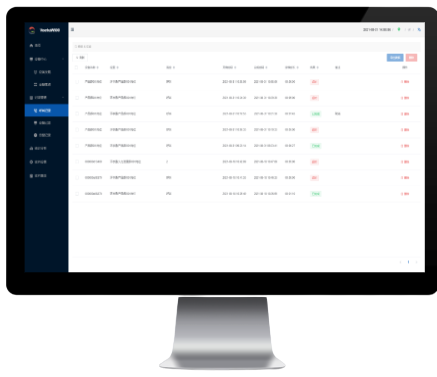
Voerka W900 software record view listing call and cancel times of nurse call buttons

Record view

Review the call and cancel times of every nurse call button in a detailed record list.
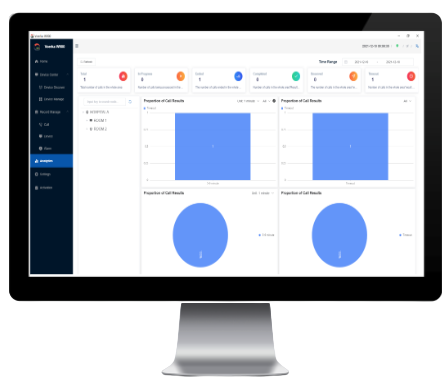
Voerka W900 software statistics screen with charts showing call result proportions

Statistics & reports

Analyse call results and proportions of call results, then export the data for reporting.

What it records

  • Which call point — each call button is numbered, so the record shows exactly which bed, room or bathroom raised the call.
  • When it was pressed — the time of every call, kept as a continuous history rather than a live view only.
  • How long the response took — the gap between the call and the moment staff cleared it at the cancel button.
  • An exportable record — call records and statistics provide a factual history for management review.
  • Device management — discover, authenticate, add, bind, modify or delete call and cancel buttons through the software.
  • Accountability — a written record keeps both residents and staff accounted for, instead of relying on memory after an incident.

What the configuration requires

  • A PC or laptop that can run Windows 10 or 11.
  • A B-811 smart gateway.
  • A router with an internet connection.
  • LAN cable connections between the computer, gateway, router and display panel if used.

The software is downloaded from our software and downloads page, which also lists the current W900 desktop software.

Software and downloads

Important to know

  • Reporting is optional. The calling system works perfectly well without it.
  • W900 is desktop software. Reporting and device management happen on the connected PC or laptop.
  • The reporting software does not send alerts to a phone, an app or an off-site monitoring service.

Ask us about the W900 Desktop Software

Tell us where the product will be used and what you need the system to do. A BellMe representative will help with the right configuration.